What If Your Video Calls Are Spying on You?
We’ve all been there—laughing with family over a morning coffee call, sharing big news with a friend, or finally connecting with a sibling across the world. Video chat apps make these moments possible. But what if the very tool bringing us closer is quietly collecting more than just smiles? Let’s talk about the unseen side of convenience and how to protect what matters most—your privacy. It’s not about fear. It’s about awareness. Because when we understand how these tools work, we can use them without giving up what we value most: our peace of mind, our family’s safety, and the quiet comfort of knowing we’re still in control.
The Morning Call That Knows Too Much
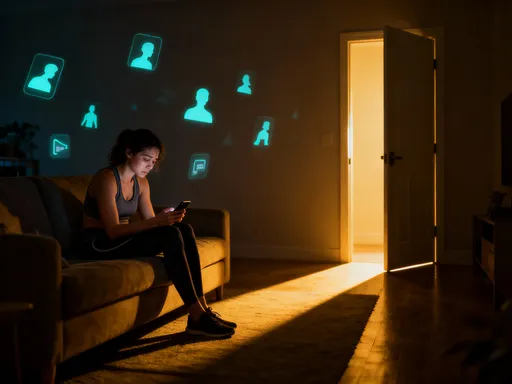
Sarah wakes up, pours her coffee, and taps the screen. Her parents’ faces appear instantly—her mom adjusting her glasses, her dad waving from the kitchen table. It’s a sweet, ordinary moment. But behind that seamless connection, something else is happening. Data is moving. Not just the video and audio of their voices, but metadata—information about the call itself. Who called? When? How long did it last? Did Sarah share her screen later? Was the camera on before she said hello?
Most major video calling platforms collect this kind of information as part of their standard operation. It’s not always malicious, but it’s often invisible. For example, call logs might be stored on company servers. Device information—like the model of Sarah’s phone or her internet speed—might be recorded to improve performance. Some platforms may even analyze background noise or room lighting to adjust video quality, which means the app is constantly ‘listening’ or ‘watching’ in a limited way.
And what about the room behind her? The bookshelf with family photos, the prescription bottle on the nightstand, the note taped to the fridge—‘Dentist appointment, 3 PM’? While no credible evidence suggests companies are actively watching home videos, the fact remains: if the camera is on, the image exists. If the microphone is live, sound is being processed. And if the app has permission to store or back up data, those moments could be saved longer than we realize. The intimacy of home is no longer just behind closed doors. It’s shared—sometimes without us fully understanding the terms.
How “Free” Video Chat Apps Pay Themselves
Let’s be honest—most of us don’t pay for video calling. We use apps that feel like utilities, like electricity or water. But nothing online is truly free. If you’re not paying with money, you’re often paying with data. And that’s exactly how many popular platforms make their revenue. They offer a free service, but in return, they gather insights about how we use it. This isn’t always about selling your conversations to advertisers—though data sharing does happen in some cases—but about building a clearer picture of who we are, how we behave, and what we might do next.
Think of it like leaving footprints in the sand. Every time you open the app, make a call, or even just check your contacts, you leave a trace. How often do you call your sister? Do you usually video chat in the morning or at night? Do you look happy, stressed, distracted? Some platforms, especially those tied to larger tech ecosystems, may use artificial intelligence to analyze facial expressions or voice tone—not to spy, but to improve features like emotion detection in meetings or to suggest when someone might need a break. But here’s the catch: that analysis still requires access to your image and sound.
And then there’s the advertising connection. If your video app is part of a bigger company that also runs search engines, email, or social media, your behavior in one place can influence what you see in another. You had a long call with your daughter after she had a baby—suddenly, you start seeing ads for baby clothes or strollers. Coincidence? Maybe not. It’s not that the app ‘heard’ the word ‘baby,’ but it knows you had a long video call with someone in your contacts labeled ‘daughter,’ and that timing might be enough to trigger a pattern.
The business model is simple: convenience in exchange for insight. But when we don’t read the fine print, we give up more than we intend. The key isn’t to stop using these tools—it’s to use them with eyes open.
When Convenience Meets Risk at Home
Video calls aren’t just for adults. Kids use them to show Grandma their art projects. Grandparents join family reunions from across the country. Parents schedule virtual playdates when the weather keeps everyone indoors. The whole household benefits—until one small mistake puts everyone at risk.
Imagine this: Sarah’s teenage son downloads a fun video app his friend recommended. He uses his mom’s email to sign up, clicks ‘accept’ on the permissions, and starts chatting. He doesn’t realize the app asks for access to the family photo library, contacts, and location. A few days later, Sarah gets a strange message from a number she doesn’t recognize—someone claiming to have screenshots from a private family call. Was it a scam? Maybe. But it could also be the result of weak security in an app no one fully understood.
This is how breaches often happen—not through dramatic hacks, but through everyday choices. A forgotten password, a shared login, an outdated app. One person’s device becomes a doorway into the whole family’s digital life. And once personal data is out, it’s hard to take back.
The emotional cost can be even greater than the technical one. Think about a child accidentally sharing a screen that includes a parent’s bank statement. Or a grandparent unknowingly joining a call on a public Wi-Fi network where data could be intercepted. These aren’t rare nightmares—they’re realistic scenarios that happen more often than we think. And the fear that follows—‘Did someone see our home? Did they hear what we said?’—can linger long after the call ends.
Protecting your family doesn’t mean going offline. It means setting simple rules: one trusted device for video calls, strong passwords for every account, and regular check-ins about which apps everyone is using. Safety starts with conversation—and it grows with habits.
The Hidden Permissions You Didn’t Notice
Have you ever installed a new app and just tapped ‘Allow’ through all the pop-ups? ‘Use your camera?’ Yes. ‘Access your microphone?’ Sure. ‘See your contacts?’ Why not. It’s easy to do—especially when you’re excited to start using the app or helping someone else set it up. But each permission is a door. And once you open it, you might not know who’s walking through.
Let’s break down what those permissions really mean. Camera access? That’s obvious—it lets the app show your face. But it also means the app can activate the camera anytime it’s running, even if you’re not in a call. That’s why some devices have a small light that turns on when the camera is active. It’s a safeguard. But not all apps or devices have that feature.
Microphone access works the same way. Yes, it’s needed for you to be heard. But it also means the app can listen—again, only when it’s open or running in the background. Some apps may even process audio locally to detect commands, like ‘Hey, join the meeting.’ But that processing still requires your voice to be analyzed, even if it’s not stored.
Now, contacts. This one sneaks up on people. When an app asks for your contacts, it’s often to help you find friends or suggest who to call. But it also means your entire address book—names, numbers, even email addresses—might be uploaded to a server. If that company ever suffers a data breach, your contacts could be exposed too. And location? That might be used to suggest time zones or improve call quality, but it also means the app knows where you are, at least roughly, every time you use it.
The good news? You can change these settings anytime. On most phones and computers, you can go into your privacy settings and turn off access for specific apps. You don’t have to give up everything just to make a call. In fact, many video apps work perfectly fine with limited permissions. The key is to pause before you tap ‘Allow’ and ask: Do I really need to give this app my location to say hello to my sister?
Simple Swaps That Keep You Connected—and Safe
You don’t need to become a tech expert to stay safe. Just like you lock your front door without knowing how the lock works, you can protect your video calls with a few simple habits. And the best part? Most of them take less than a minute.
First, turn off your camera when you’re not using it. You can do this in the app settings or, better yet, cover the lens with a sticky note or a sliding cover. It’s a small act, but it brings peace of mind. No camera access means no chance of someone seeing in—even if the risk is low.
Second, use strong, unique passwords for every account. If you’re using ‘password123’ or your birthday, it’s time for an upgrade. A strong password is like a good deadbolt—simple but effective. And consider using a password manager. It’s a tool that remembers your passwords for you, so you don’t have to. Many are easy to set up and sync across devices.
Third, enable two-factor authentication whenever possible. This means you need two things to log in: your password and a code sent to your phone or generated by an app. It’s like having a second lock on your door. Even if someone guesses your password, they can’t get in without that second key.
Fourth, look for apps that offer end-to-end encryption. This means only you and the person you’re calling can see or hear the conversation. Not even the company running the app can access it. Not all video apps have this feature, but some do—and it’s worth choosing one that does, especially for private or sensitive conversations.
Finally, keep your apps and devices updated. Those updates aren’t just about new features—they often include security fixes. Ignoring them is like leaving your window open during a storm. It might be fine today, but it increases the risk over time.
These steps aren’t about fear. They’re about care. Just like you’d teach your kids to look both ways before crossing the street, these habits help you move safely through the digital world.
Teaching Mom (and Yourself) to Chat Safely
‘Mom, let me show you how to join the call.’ How many times have you said that? Helping a parent or older relative use technology is an act of love. But it’s also a chance to build digital confidence—for them and for you.
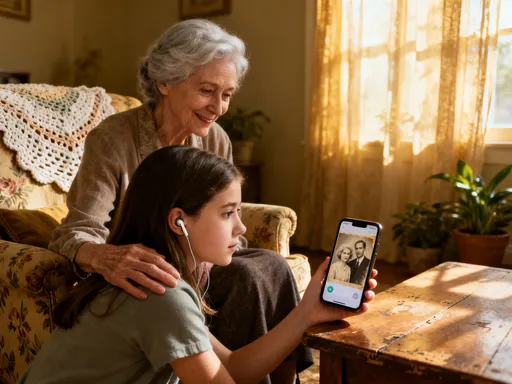
One afternoon, Sarah sat with her mom, going over the basics. ‘See this? This is the camera. When you’re done, just tap the red button to leave. And if you ever feel unsure, just close the app.’ Her mom nodded, then asked, ‘But can anyone see me if I’m not on a call?’ It was a smart question—one Sarah hadn’t fully considered before.
They looked at the settings together. Sarah showed her how to check which apps had camera access. They turned off a few she didn’t use. They set up a stronger password and added two-factor authentication. It took less than 20 minutes. But by the end, her mom wasn’t just safer—she felt more in control.
That’s the power of digital literacy. It’s not about memorizing terms or understanding code. It’s about knowing enough to protect yourself and your family. And it’s something you can learn at any age.
Start with small talks. ‘Did you get a strange link in a message?’ ‘Have you checked your privacy settings lately?’ These aren’t scary questions—they’re caring ones. Share tips like you would a recipe or a gardening trick. Over time, these conversations build a culture of safety in your home.
And don’t forget to learn alongside them. You might know more about tech, but your mom might notice something you missed. Maybe she sees a pop-up you’ve learned to ignore. Maybe she asks a question that makes you rethink your own habits. Learning together isn’t just practical—it strengthens your bond.
Reclaiming Trust in the Digital Hug
At the end of the day, we use video calls because we care. We want to see our loved ones’ faces. We want to share joy, comfort, and connection—even when we’re far apart. That emotional need is real, and it’s beautiful. Technology doesn’t have to threaten it. In fact, it can deepen it—when we use it wisely.
Privacy isn’t the opposite of connection. It’s part of it. Just like you wouldn’t shout your family’s plans in a crowded room, you don’t have to share everything online. Mindful use isn’t about fear or suspicion. It’s about respect—for yourself, for your home, and for the people you love.
You don’t have to choose between staying close and staying safe. With a few simple steps, you can do both. Turn off the camera. Update your password. Talk to your family. These aren’t technical chores—they’re acts of care.
And the next time you tap that call button, and your sister’s face lights up the screen, you can smile—not just because you’re together, but because you’re protected. The digital hug can be warm, safe, and full of trust. Because the best connections aren’t just close. They’re also secure.